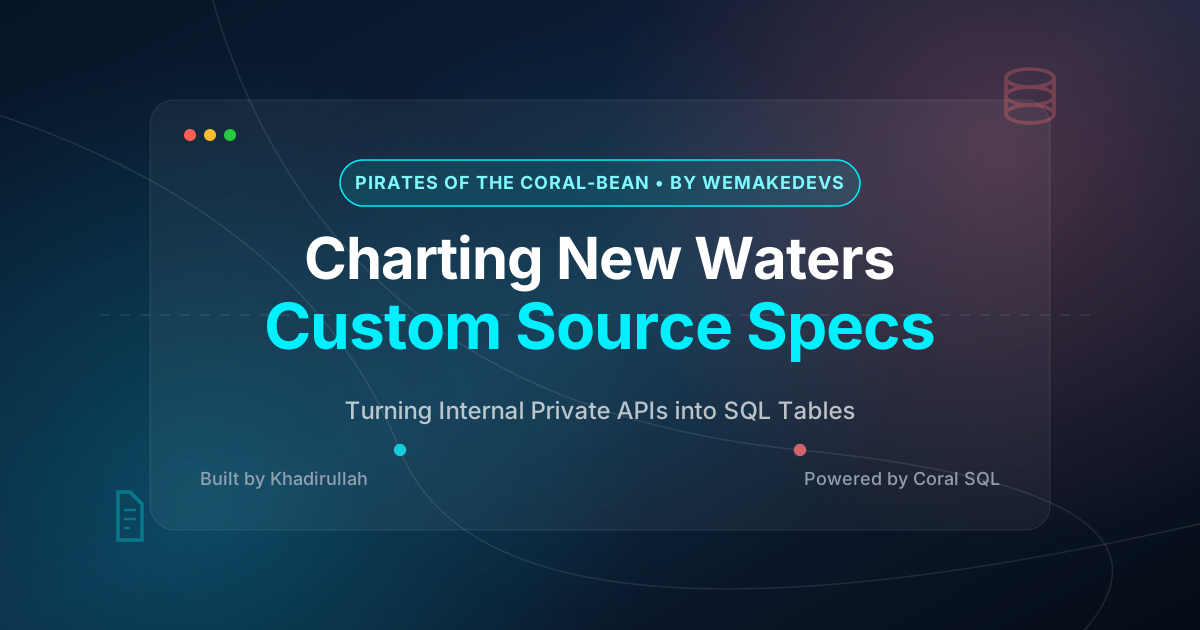
⚔️ This post is my submission for the “Chart New Waters” bounty in the Pirates of the Coral-bean hackathon by WeMakeDevs.
Source Spec: payment-api.yaml
The Problem: Enterprises Don’t Just Use Public SaaS#
When building an Enterprise Agent, there’s one massive architectural challenge: enterprises don’t just use GitHub, Sentry, and Slack.
A real enterprise relies on hundreds of internal, private microservices — custom payment gateways, user management APIs, internal inventory systems, health monitoring dashboards. These services:
- ❌ Have no public API documentation
- ❌ Are not listed in any marketplace
- ❌ Have no native Coral connector
- ❌ Sit behind VPNs and private networks
If your incident correlation engine can only query public SaaS tools, you’re missing half the picture.
Why Not Just Use Sentry? (Active vs Passive Monitoring)#
You might wonder: “If the payment API already sends errors to Sentry, and Coral already reads Sentry, why do we need to query the API directly?”
The answer highlights a critical DevOps distinction:
flowchart LR
    subgraph "Passive Monitoring via Sentry"
        A["Error occurs"] --> B["Sentry captures snapshot"]
        B --> C["'What BROKE 5 min ago?'"]
    end
    subgraph "Active Monitoring via Custom Source"
        D["Coral queries /api/health"] --> E["Real-time response"]
        E --> F["'Is the API UP right now?'"]
    end
| Type | Tool | Question It Answers | When |
|---|---|---|---|
| Passive | Sentry | “What broke 5 minutes ago?” | After the fact |
| Active | Custom Source Spec | “Is the service alive RIGHT NOW?” | Real-time |
During a major outage at 2AM, a DevOps engineer’s first question is: “Is the API completely dead, or is it recovering?” Sentry can’t answer that — it only logs past errors. The custom source can.
With our spec, the Incident Investigator can execute powerful logic:
“I see the database error in Sentry from 5 minutes ago. Let me instantly query
payment_api.healthto check if the service is currently online and what the response time is.”
How Custom Source Specs Work#
Think of a custom source spec as a translator between SQL and HTTP.
sequenceDiagram
    participant Dev as DevOps Engineer
    participant Coral as Coral SQL Engine
    participant YAML as payment-api.yaml
(Translator)
    participant API as Internal Payment API

    Dev->>Coral: SELECT status, response_time_ms
FROM payment_api.health
    Coral->>YAML: Look up table "health"
    YAML-->>Coral: Method: GET
Path: /api/health
Columns: status → $.status
    Coral->>API: HTTP GET http://localhost:5001/api/health
Authorization: Bearer mock_123
    API-->>Coral: {"status": "healthy",
"response_time_ms": 42}
    Coral-->>Dev: | status  | response_time_ms |
| healthy | 42               |
The YAML file maps:
- SQL table name → HTTP endpoint
- SQL columns → JSON response fields
- SQL query → HTTP request (method, path, headers)
From the user’s perspective, they just write SQL. Coral handles the HTTP call, JSON parsing, and column mapping automatically.
Building the Source Spec: Step by Step#
The API We’re Connecting#
Our demo-payment-api is a Flask microservice with these endpoints:
| Endpoint | Returns |
|---|---|
GET /api/health | Service health, response times, endpoint status |
GET /api/payments | List of processed and pending payments |
In a real enterprise, this could be any internal microservice — a user management API, an inventory system, a billing platform. The pattern is the same.
Step 1: Define the Source Identity#
Every custom source needs a name, version, and the Coral DSL version:
name: payment_api          # This becomes the SQL schema: payment_api.health
version: 0.1.0
dsl_version: 3             # Current Coral DSL version
backend: http              # We're connecting to an HTTP API
description: "Internal Payment API for processing and tracking mock payments"
base_url: "http://localhost:5001" # Where the API livesname is critical — it becomes the SQL schema prefix. After registration, you’ll query tables as payment_api.health, payment_api.payments, etc.Step 2: Set Up Authentication#
Even internal APIs need authentication. We configure Bearer token auth:
inputs:
  PAYMENT_API_TOKEN:
    kind: secret
    hint: "Bearer token for the Payment API"

auth:
  type: HeaderAuth
  headers:
    - name: Authorization
      from: template
      template: "Bearer {{input.PAYMENT_API_TOKEN}}"
The inputs section tells Coral to ask for a PAYMENT_API_TOKEN environment variable when adding the source. This keeps secrets out of the YAML file itself.
Step 3: Map Endpoints to SQL Tables#
This is the magic part. For each API endpoint, we create a SQL table definition:
Table 1: health — Maps GET /api/health
The API returns JSON like:
[
  {"endpoint": "/api/health", "status": "healthy", "response_time_ms": 12, "timestamp": "2026-05-29T18:00:00Z"},
  {"endpoint": "/api/payments", "status": "healthy", "response_time_ms": 45, "timestamp": "2026-05-29T18:00:00Z"}
]
We map it in YAML:
tables:
  - name: health
    description: "Payment service health status and uptime metrics"
    request:
      method: GET
      path: /api/health
    response:
      rows_path: []          # Response IS the array (no wrapper key)
    columns:
      - name: endpoint
        type: Utf8
        expr: { kind: path, path: [endpoint] }
      - name: status
        type: Utf8
        expr: { kind: path, path: [status] }
      - name: response_time_ms
        type: Int64
        expr: { kind: path, path: [response_time_ms] }
      - name: timestamp
        type: Utf8
        expr: { kind: path, path: [timestamp] }
Key details:
rows_path: []means the JSON response IS the array (not wrapped in a key like{"data": [...]})- Each column’s
expr: { kind: path, path: [...] }extracts a specific JSON field typemaps JSON types to SQL types (Utf8= string,Int64= integer,Float64= decimal)
Table 2: payments — Maps GET /api/payments
  - name: payments
    description: "List of processed and pending payments"
    request:
      method: GET
      path: /api/payments
    response:
      rows_path: [data]      # Rows are inside the "data" key
    columns:
      - name: id
        type: Utf8
        expr: { kind: path, path: [id] }
      - name: amount
        type: Float64
        expr: { kind: path, path: [amount] }
      - name: currency
        type: Utf8
        expr: { kind: path, path: [currency] }
      - name: status
        type: Utf8
        expr: { kind: path, path: [status] }
      - name: customer
        type: Utf8
        expr: { kind: path, path: [customer] }
Notice rows_path: [data] — this tells Coral the rows are nested inside a "data" key in the JSON response.
Step 4: Add Test Queries#
Good source specs include test queries that Coral runs during registration to validate everything works:
test_queries:
  - SELECT status, endpoint FROM payment_api.health LIMIT 1
  - SELECT id, amount, status FROM payment_api.payments LIMIT 1
Step 5: Register with Coral#
# 1. Lint the YAML to check for syntax errors
coral source lint coral-config/payment-api.yaml

# 2. Add the source (providing the auth token)
PAYMENT_API_TOKEN=mock_token_123 coral source add --file coral-config/payment-api.yaml

# 3. Query it like a database!
coral sql "SELECT endpoint, status, response_time_ms FROM payment_api.health"The Complete Source Spec#
Here’s the full payment-api.yaml:
name: payment_api
version: 0.1.0
dsl_version: 3
backend: http
description: "Internal Payment API for processing and tracking mock payments"
base_url: "http://localhost:5001"

inputs:
  PAYMENT_API_TOKEN:
    kind: secret
    hint: "Bearer token for the Payment API"

auth:
  type: HeaderAuth
  headers:
    - name: Authorization
      from: template
      template: "Bearer {{input.PAYMENT_API_TOKEN}}"

test_queries:
  - SELECT status, endpoint FROM payment_api.health LIMIT 1
  - SELECT id, amount, status FROM payment_api.payments LIMIT 1

tables:
  - name: health
    description: "Payment service health status and uptime metrics"
    request:
      method: GET
      path: /api/health
    response:
      rows_path: []
    columns:
      - name: endpoint
        type: Utf8
        expr: { kind: path, path: [endpoint] }
      - name: status
        type: Utf8
        expr: { kind: path, path: [status] }
      - name: response_time_ms
        type: Int64
        expr: { kind: path, path: [response_time_ms] }
      - name: timestamp
        type: Utf8
        expr: { kind: path, path: [timestamp] }

  - name: payments
    description: "List of processed and pending payments"
    request:
      method: GET
      path: /api/payments
    response:
      rows_path: [data]
    columns:
      - name: id
        type: Utf8
        expr: { kind: path, path: [id] }
      - name: amount
        type: Float64
        expr: { kind: path, path: [amount] }
      - name: currency
        type: Utf8
        expr: { kind: path, path: [currency] }
      - name: status
        type: Utf8
        expr: { kind: path, path: [status] }
      - name: customer
        type: Utf8
        expr: { kind: path, path: [customer] }
The Result: True Enterprise Correlation#
With this custom source, the DevOps Incident Investigator can now:
Query internal API health in real-time:
SELECT endpoint, status, response_time_ms FROM payment_api.healthCross-reference with Sentry errors:
-- "Is the payment API healthy after this Sentry error appeared?"
SELECT h.status, h.response_time_ms, i.title AS error
FROM payment_api.health h, sentry.issues i
WHERE i.level = 'error'
LIMIT 5
Extend to ANY internal service: The same YAML pattern works for user-management APIs, inventory systems, billing platforms — any service with an HTTP endpoint.
Why This Matters for Enterprises#
flowchart TB
    subgraph "Public SaaS - Native Connectors"
        GH["GitHub
362 tables"]
        SE["Sentry
12 tables"]
        SL["Slack
2 tables"]
    end
    subgraph "Internal Services - Custom Source Specs"
        PAY["Payment API
payment-api.yaml"]
        USER["User Management API
user-api.yaml"]
        INV["Inventory System
inventory-api.yaml"]
        BILL["Billing Platform
billing-api.yaml"]
    end

    GH --> CORAL["🪸 Coral SQL"]
    SE --> CORAL
    SL --> CORAL
    PAY --> CORAL
    USER --> CORAL
    INV --> CORAL
    BILL --> CORAL
    CORAL --> SQL["One SQL query
across ALL sources"]
Every enterprise has internal tools that are:
- Private — behind VPNs, not publicly accessible
- Undocumented — no OpenAPI spec, no marketplace listing
- Critical — the payment gateway, the user auth service, the config management system
Without custom source specs, an incident investigator is blind to these services. With them, any REST API becomes a SQL table in minutes.
The pattern is always the same:
- Write a YAML file mapping endpoints → tables
- Run
coral source add --file your-spec.yaml - Query with SQL:
SELECT * FROM your_api.your_table
One YAML file. Any API. Full SQL access.
Reproduce It Yourself#
# 1. Clone both repos
git clone https://github.com/khadirullah/devops-incident-investigator
git clone https://github.com/khadirullah/demo-payment-api

# 2. Start the payment API
cd demo-payment-api && pip install -r requirements.txt && python3 app.py
# Running on http://localhost:5001

# 3. Register the custom source with Coral
cd ../devops-incident-investigator
PAYMENT_API_TOKEN=mock_123 coral source add --file coral-config/payment-api.yaml

# 4. Query your internal API with SQL!
coral sql "SELECT * FROM payment_api.health"
coral sql "SELECT id, amount, status FROM payment_api.payments LIMIT 5"Built as part of the DevOps Incident Investigator for the Pirates of the Coral-bean hackathon by WeMakeDevs.
#ChartNewWaters #Coral #DevOps #CustomSourceSpec #PiratesOfTheCoralBean